
You account may required that requests for certain markets (e.g. Stores) be pre-approved by specific users.
In our case, the "Calgary" store requires that the request be pre-approved by the store manager prior to be submitted to the marketing required.
Here are the steps for the store manager to pre-approve a new request:
Step 1: Open the pre-approve request email
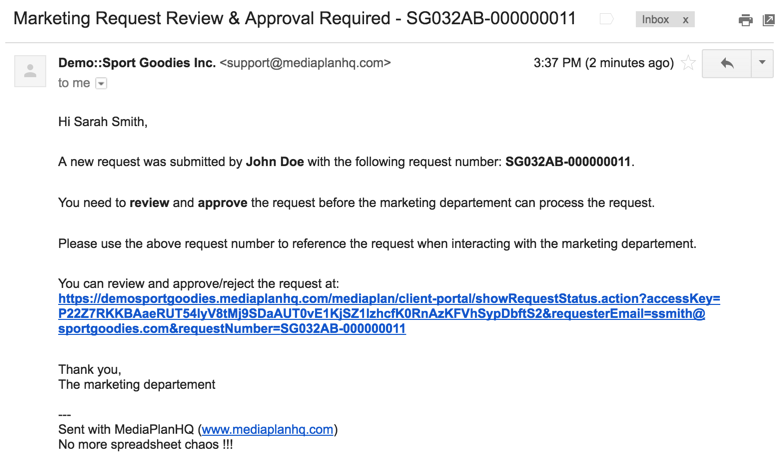
Step 2: Click on the link.
This will bring you to the request status page with a dialog prompting you to approve or reject the request.
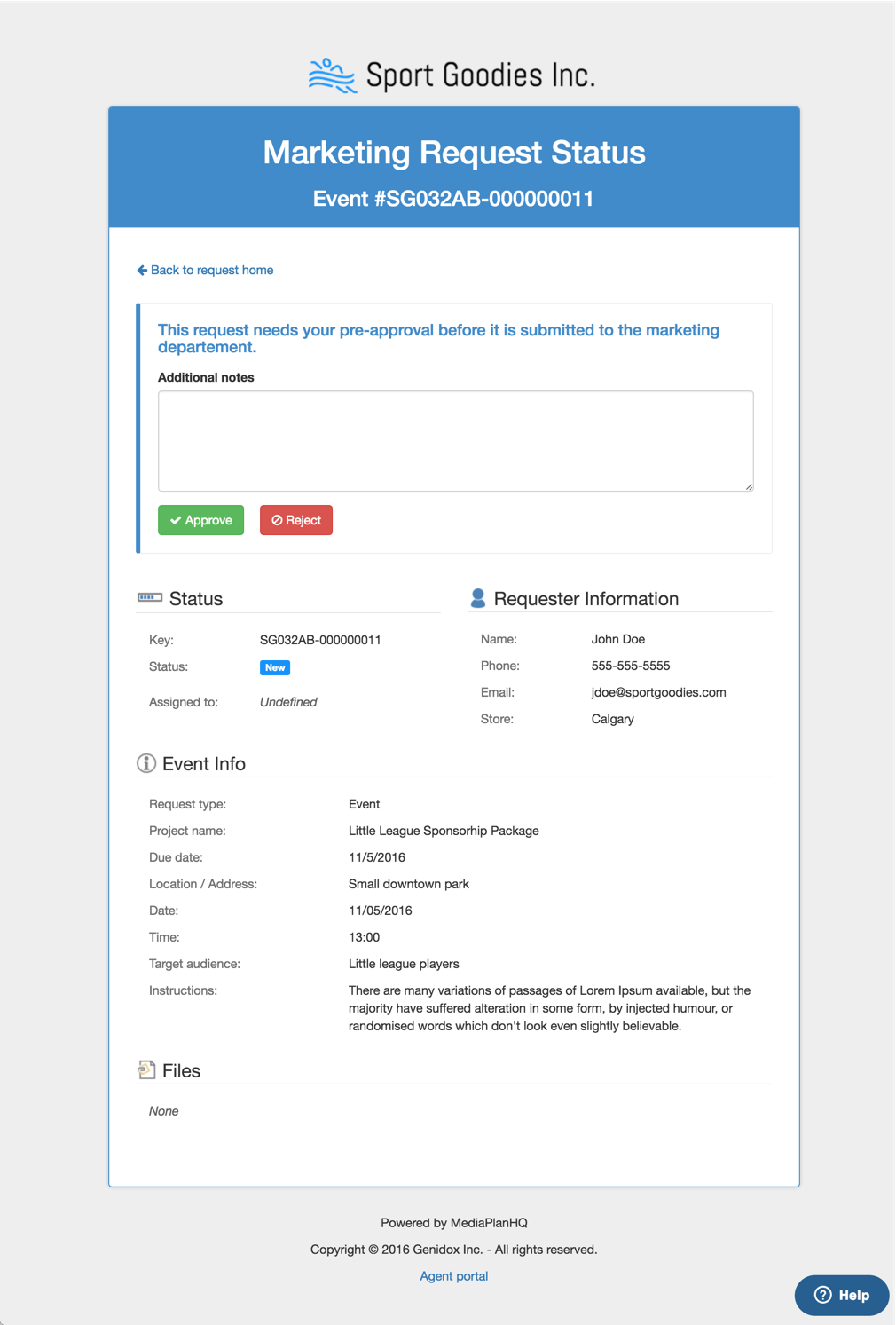
Step 3: Review and validate the request information
Step 4: Click the "Approve" or "Reject" button with an optional additional notes.
When approved:
1. It updates the pre-approval audit:
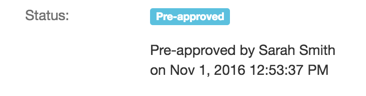
2. and sends an email to the requester with the new status (#1) and the additional notes (#2).
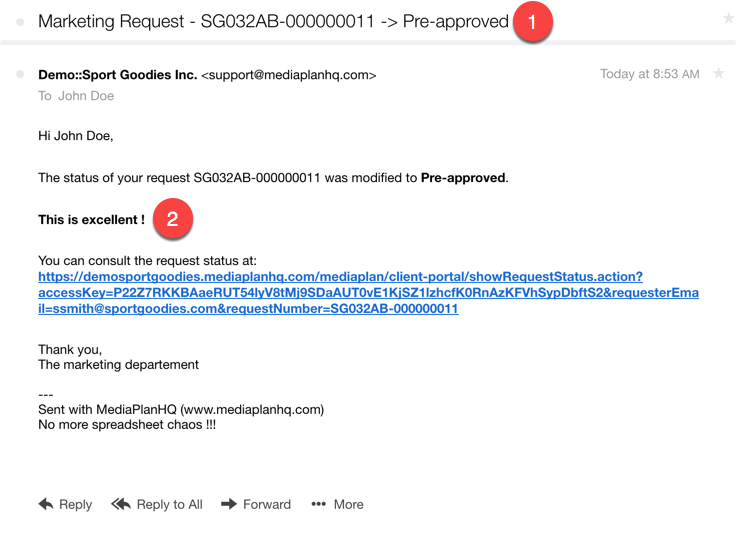
When rejected:
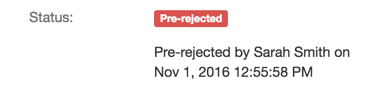
1. It updates the pre-approval audit:
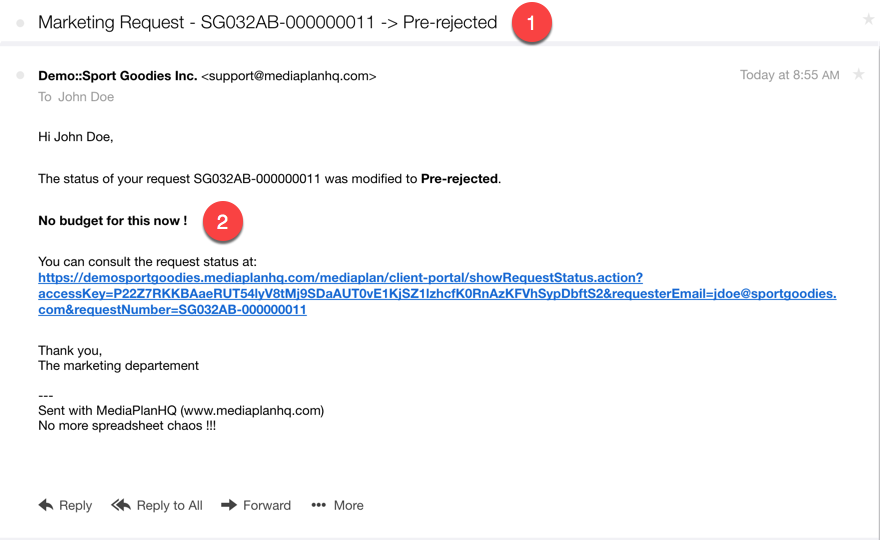
2. and sends an email to the requester with the new status (#1) and the additional notes (#2).
Comments
0 comments
Please sign in to leave a comment.