
Follow these steps to create media insertions from a SpotTvCableProposal xml file you receive from your media.
Note that imports can become tricky. Don't hesitate to contact our support center if you need help !
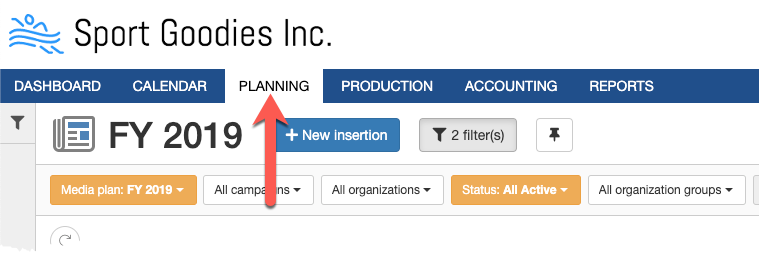
Step 1: Go to the "Planning" module.
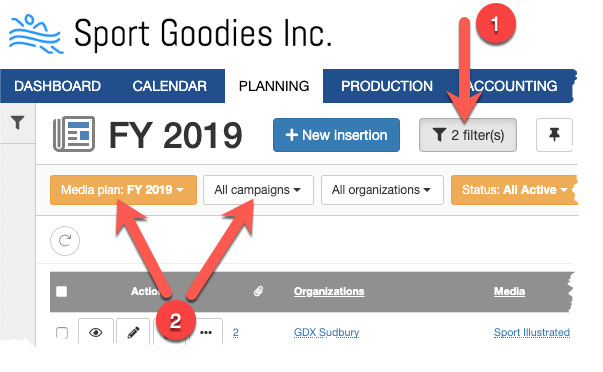
Step 2: Select your media plan and/or campaign in your filters.
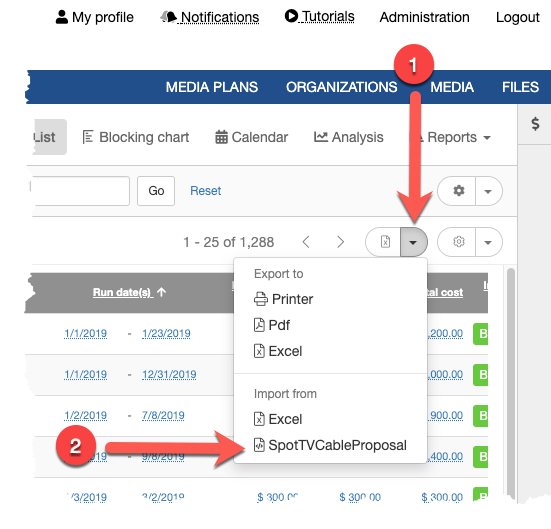
Step 3: Click on the import/export button. Select the import from SpotTVCableProposal option. This will display the import xml form.
Step 4: Click on the "Choose file" button and select your xml file.
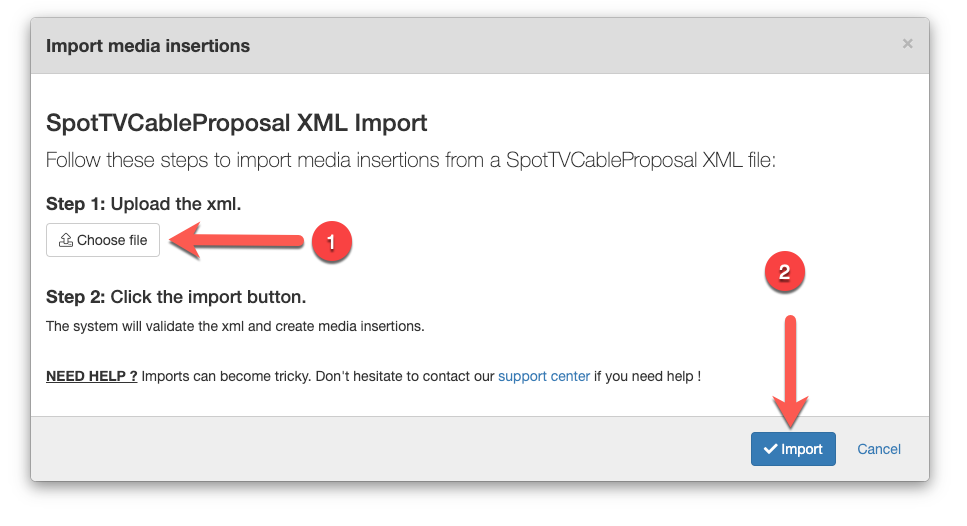
Step 5: Click on the "Import" button. This will upload the xml file, validate the information, and creates the media insertions.
Comments
0 comments
Article is closed for comments.