
By default, only known clients (a.k.a Clients with a valid username and password) can submit requests to the marketing department through the production module.
You need to enable the "Marketing Request System", in order to allow anonymous clients (a.k.a. Clients WITHOUT a valid username and password) to submit requests to the marketing department.
Follow these steps to enable anonymous clients to submit requests using the "Marketing Request System" in your account:
Step 1. Go to the "Administration" module.
Step 2. Click the "Edit" button. This will open the "Change your account" form.
Step 3. Click to check the "Allow anonymous users to submit requests" option.
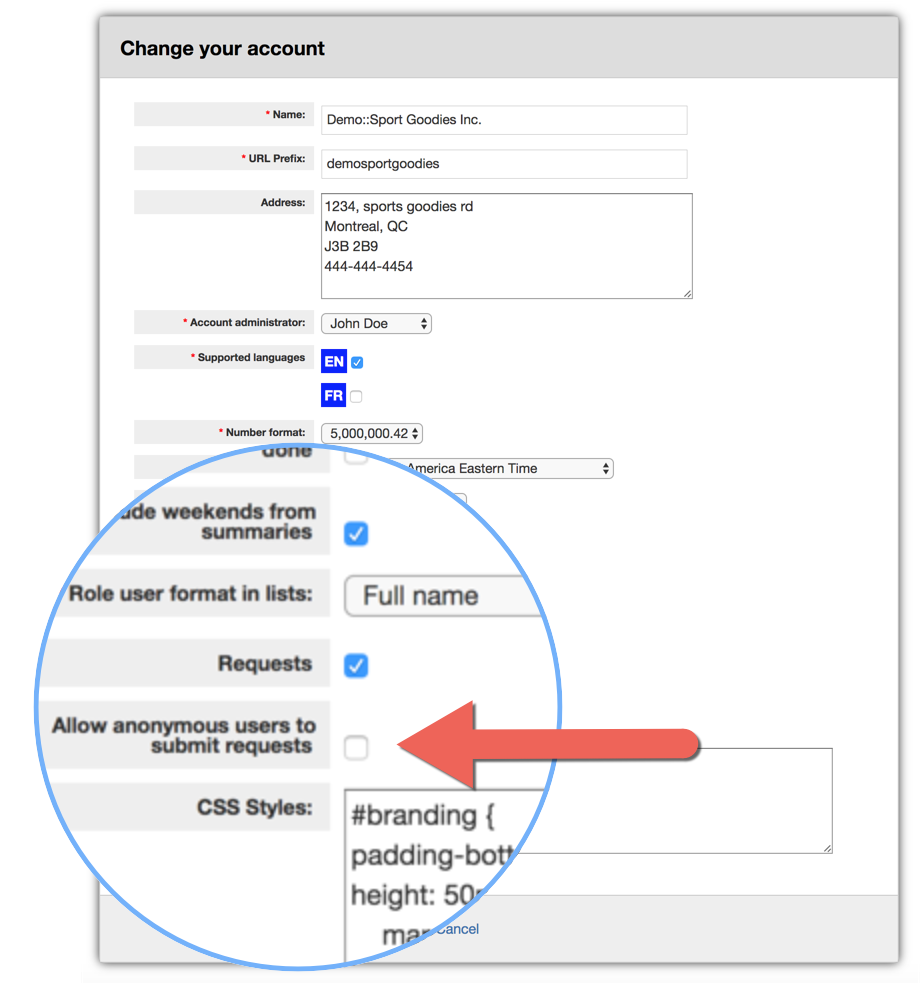
Step 4. Click the "Save" button.
The "Marketing Request System" is now configured and can be used by anonymous clients using a special link.
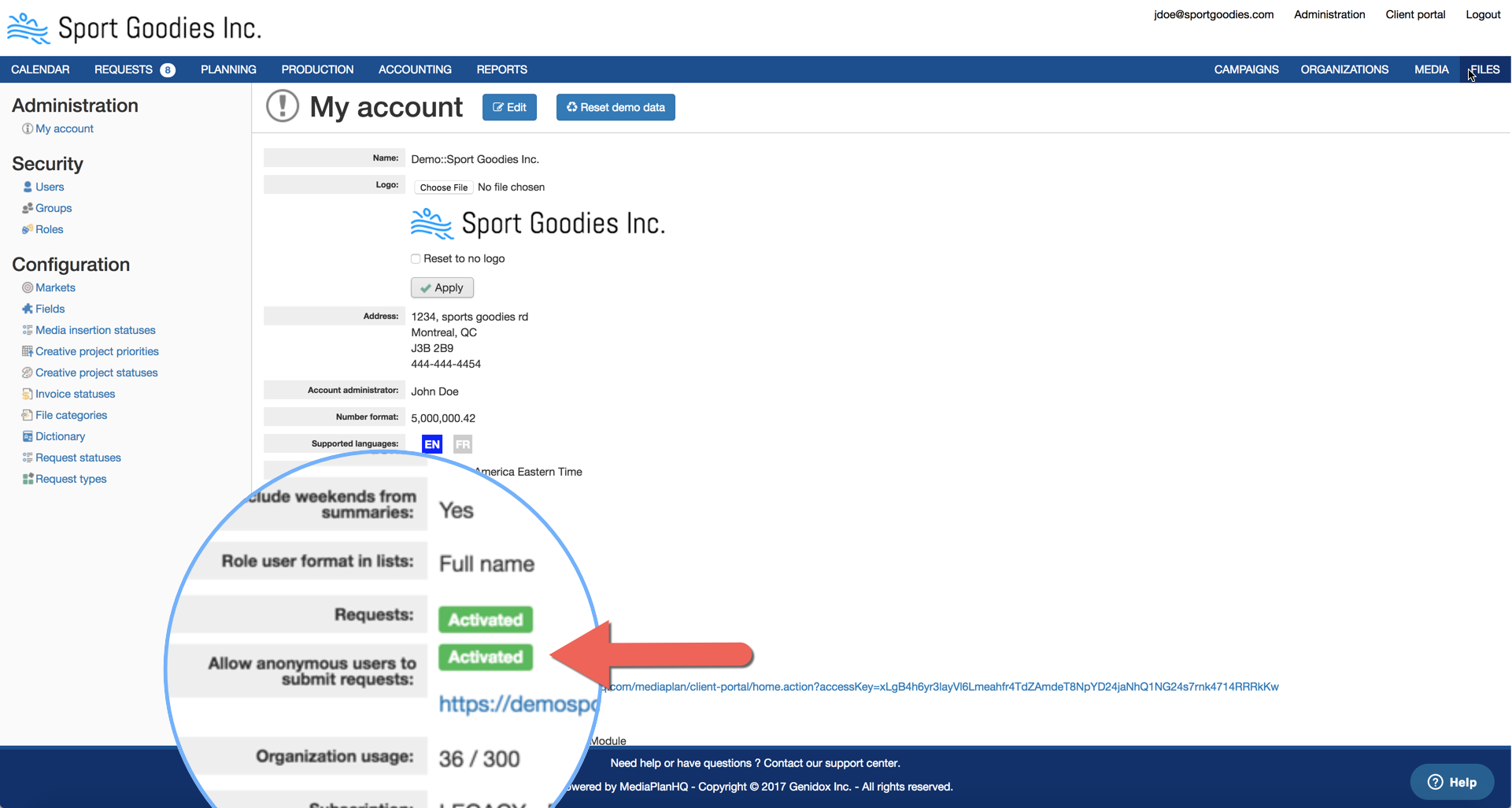
We recommend to copy the link and add it into your intranet or documentation you give access to your clients.
Note that anybody with access with this special link can submit request into your account.
Comments
0 comments
Please sign in to leave a comment.