
You may need to inform the requester of a special situation for a given organization when submitting a request to the marketing team.
The request form can display additional information when an organization is selected.
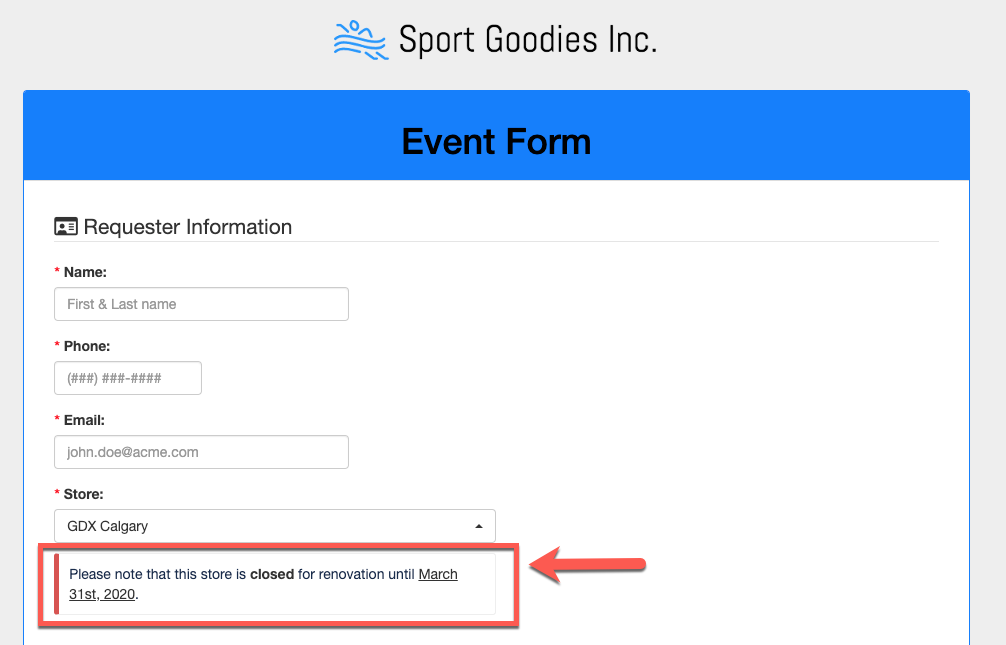
Follow these steps to configure the additional information:
Step 1: Go to the Organizations module.
Step 2: Click on an organization in the right pane. This will display the selected organization details in the right pane.
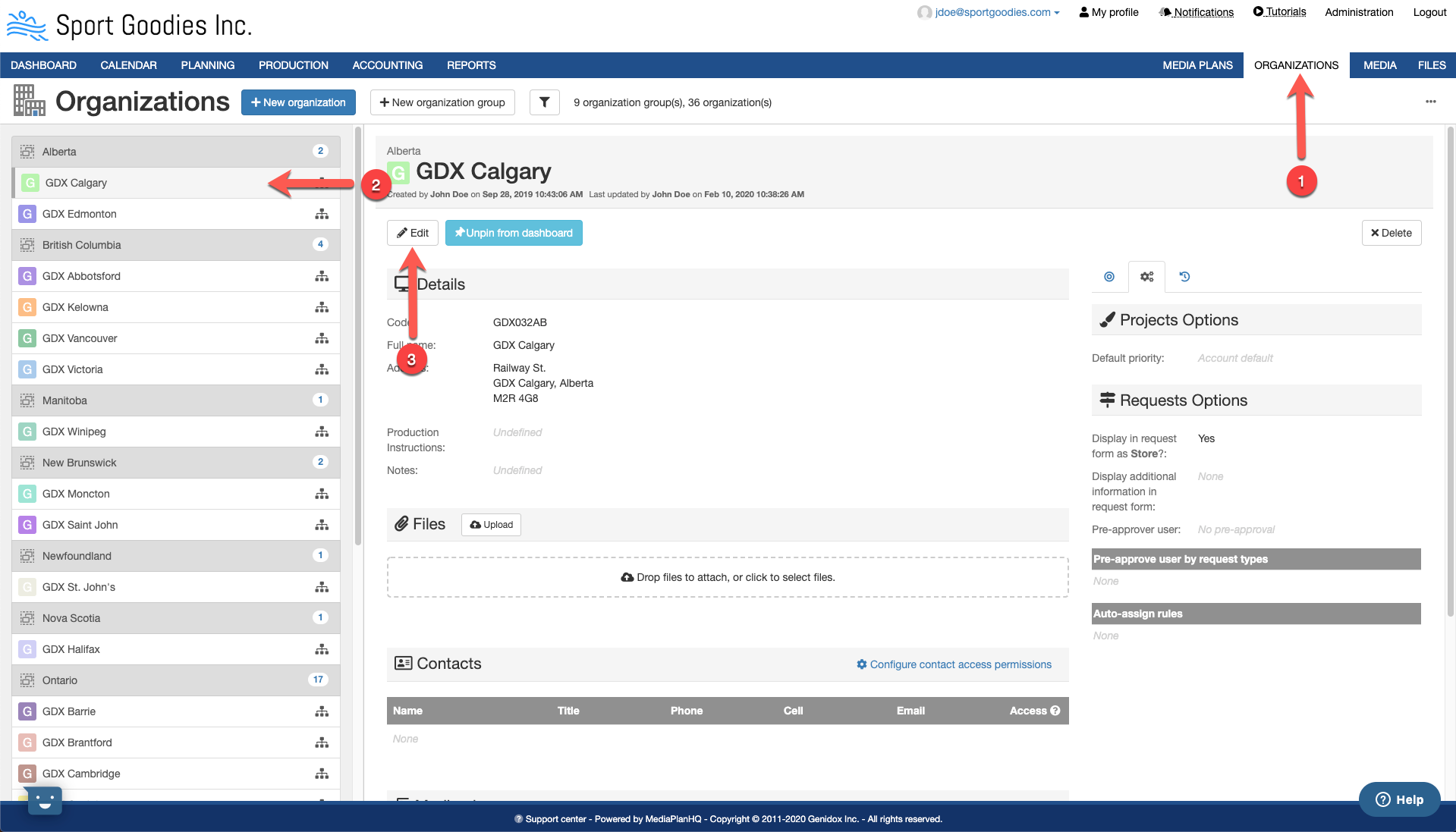
Step 3: Click on the Edit button. This will display the Update organization form.
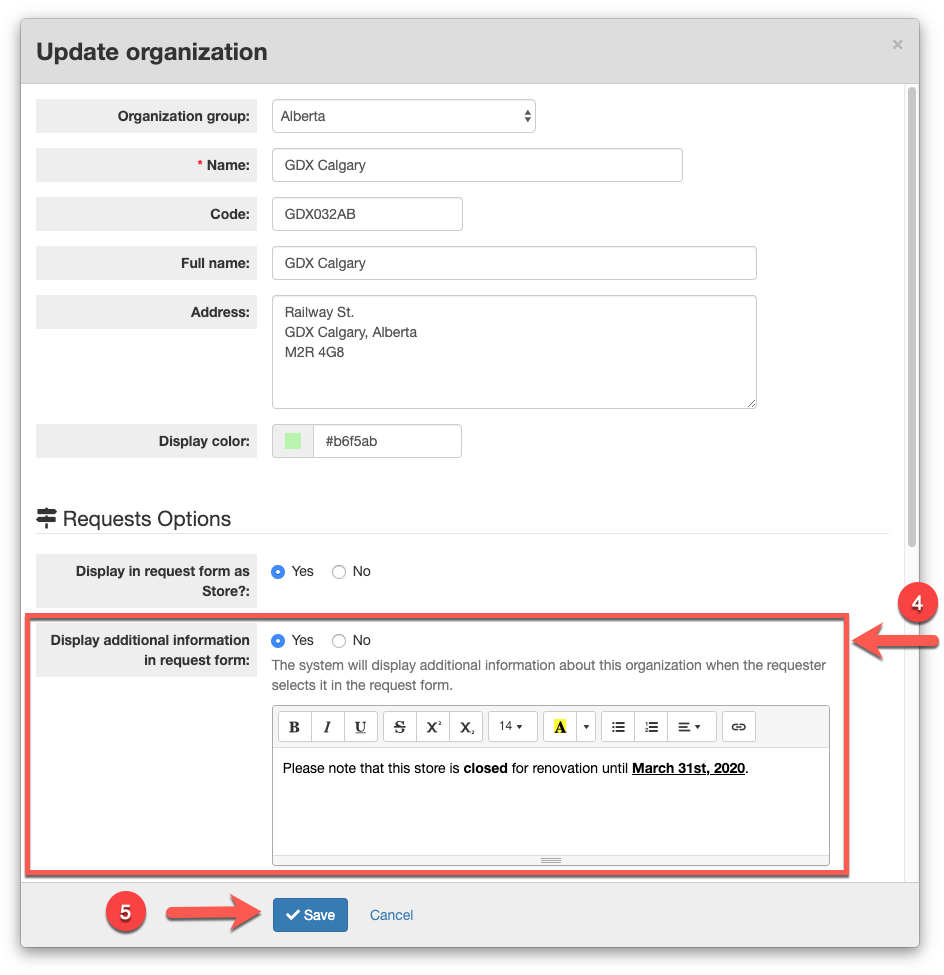
Step 4: Select Yes for the Display additional information in request form, and enter the appropriate text and styles.
Step 5: Click the Save button.
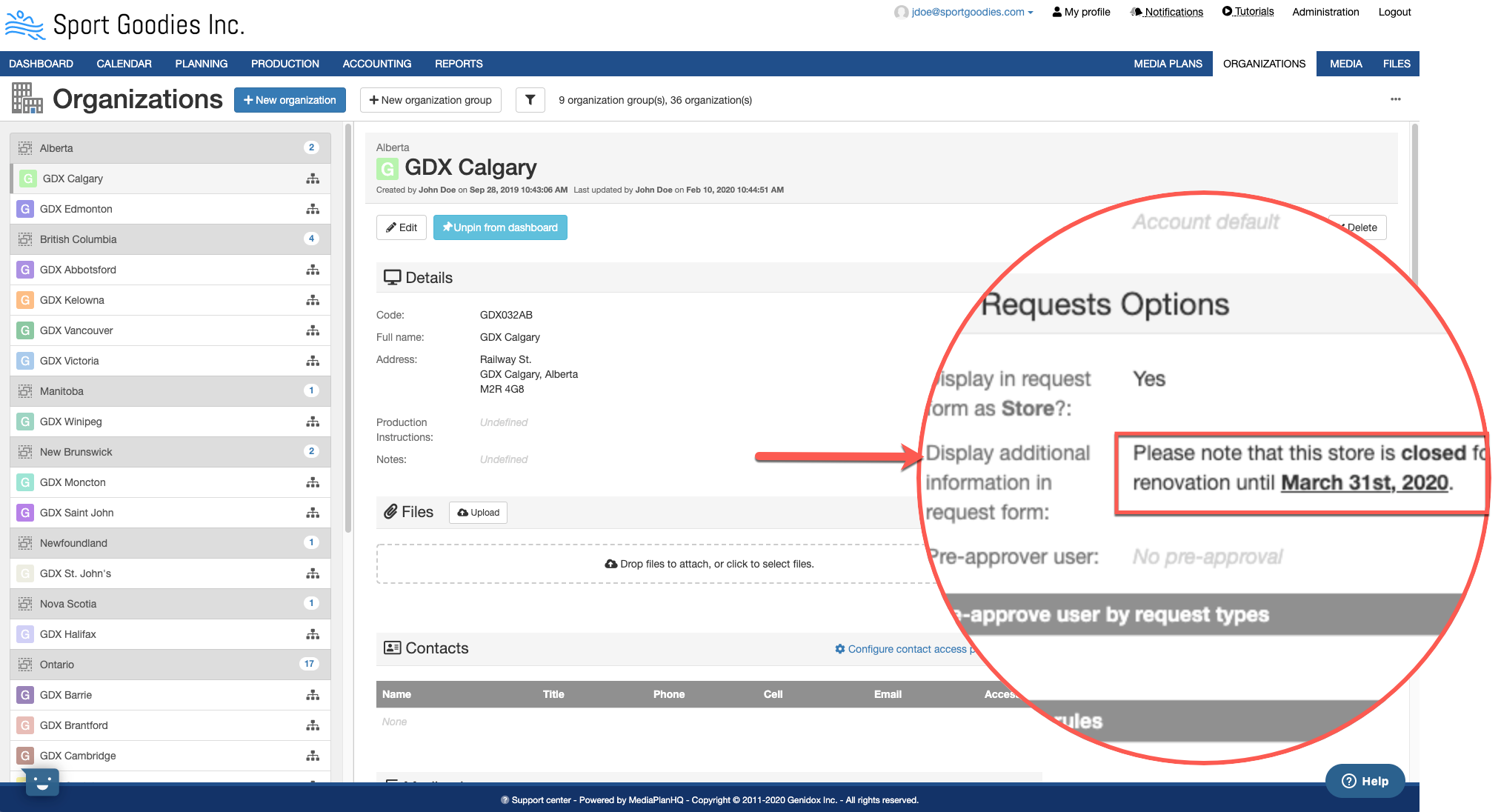
The additional text is also displayed in the organization details in the right pane:
Comments
0 comments
Article is closed for comments.