
The text in the request forms is customizable to give additional information, instructions, etc. to guide the requester to fill the form.
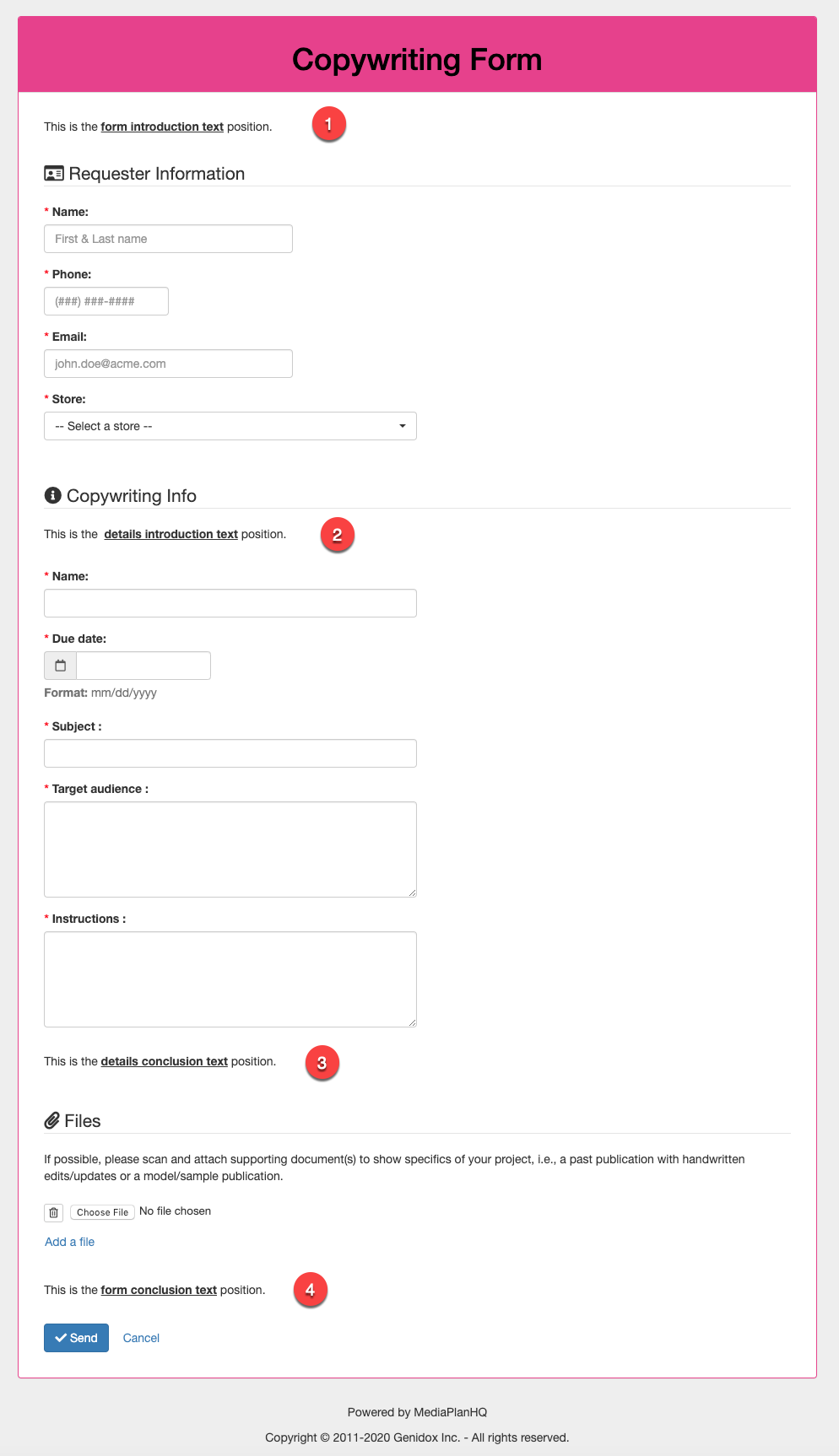
Each request form has 4 text areas that can be customized:
- Form introduction text
- Details introduction text
- Details conclusion text
- Form conclusion text
Follow these steps to customize the text of a project request form:
Step 1: Click the Administration module
Step 2: Click the Project types & forms sub-module
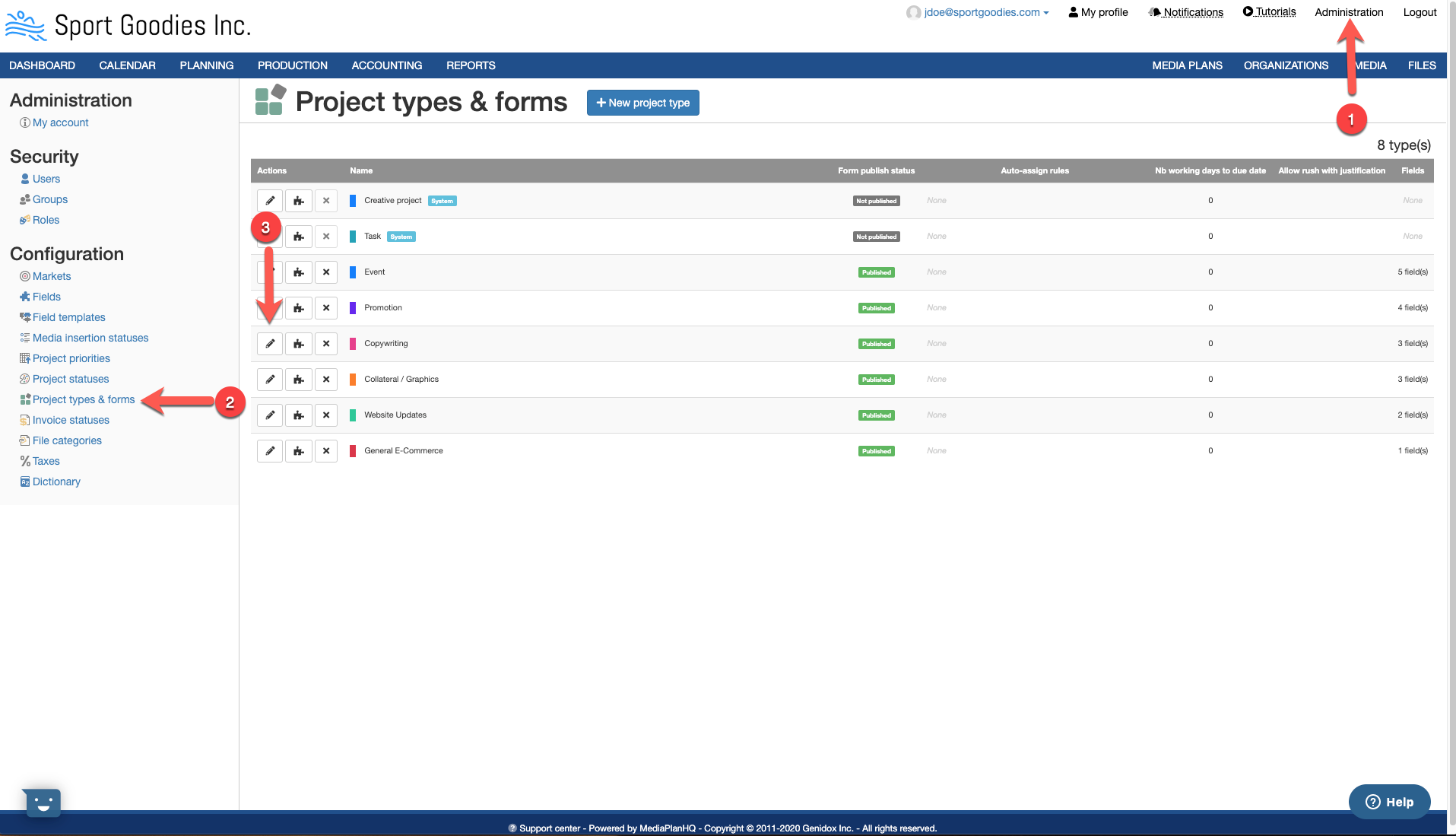
Step 3: Click the Edit button of the project type & form you want to customize the text. This will display the Update project type form.
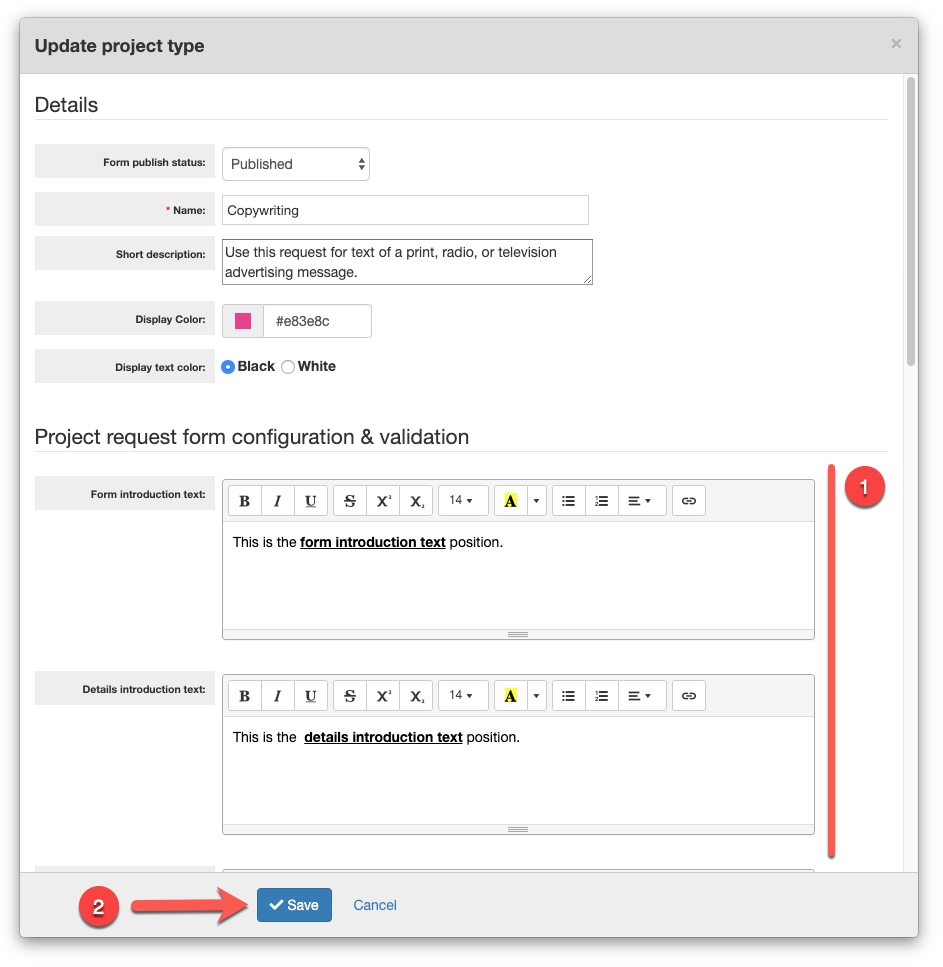
Step 4: Customize the text to display in the appropriate area with the copy and styles.
Step 5: Click the Save button.
Repeat step 3 to 5 to customize the text of other request forms.
Comments
0 comments
Article is closed for comments.